
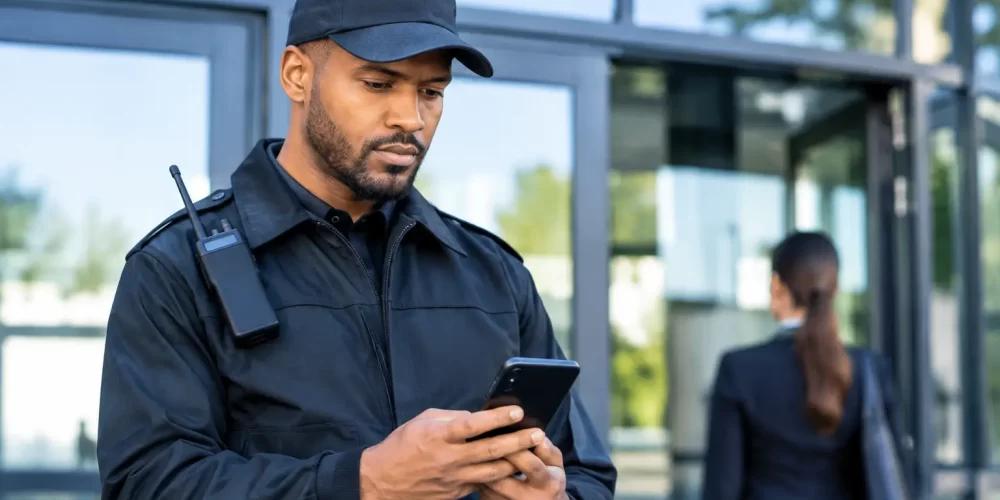
Cybersecurity Awareness for Security Guards
A guard can secure a loading dock, control access to a restricted floor, and write a detailed incident report – then accidentally expose the same site through one convincing email. That is why cybersecurity awareness for security guards belongs beside radio procedure, report writing, de-escalation, and access-control training. Physical security and digital security are now connected at nearly every post.
A stolen phone can expose patrol reports. A reused password can open a client portal. A fraudulent message sent to a supervisor can change a payroll deposit, redirect a vendor payment, or provide an intruder with the information needed to enter a facility. Guards do not need to become IT specialists. They do need the judgment to recognize suspicious activity, protect sensitive information, and report digital concerns before they become operational failures.
Why Cybersecurity Awareness for Security Guards Matters
Security personnel regularly handle information that has real value to criminals. Shift schedules, alarm procedures, visitor logs, camera locations, access codes, incident reports, executive travel details, and employee contact information can all be used to plan theft, fraud, harassment, or unauthorized entry.
This risk is often underestimated because the information may appear routine on its own. A photo of a badge, a screenshot of a patrol app, or a casual answer to a caller asking who is on duty may not seem serious. Combined with public social media posts, leaked data, or other small details, it can give someone a clear picture of a site’s people, systems, and weak points.
Cyber incidents also affect a guard’s credibility. A report sent to the wrong recipient, an account left signed in on a shared computer, or a password shared by text can create a compliance problem for the employer and client. Professional conduct means protecting information with the same discipline used to protect keys, radios, and controlled areas.
Know What You Are Protecting
The first step is recognizing that digital information is an asset. If releasing it could compromise a person, a client, a site, an investigation, or a business process, treat it as sensitive.
Incident reports deserve particular care. They may include names, medical details, witness statements, photos, vehicle plates, security observations, and facts connected to an ongoing investigation. Do not save reports to a personal device unless agency policy specifically authorizes it. Do not send them through personal email, personal cloud storage, or consumer messaging applications simply because it is faster.
The same standard applies to access-control and surveillance systems. Guards should never share passwords, screenshots, camera views, door schedules, or administrator instructions with people who do not have a verified operational need. Curiosity is not authorization.
A useful rule is simple: confirm identity, confirm authority, and use the approved method before releasing information. If a caller claims to be a manager, police officer, technician, or client representative, do not rely on the number displayed on the phone or the name in an email signature. Verify through a known company contact method or the established chain of command.
Recognize Phishing and Social Engineering
Phishing is not limited to poorly written emails asking for bank information. Criminals frequently impersonate supervisors, payroll departments, alarm companies, vendors, IT support, delivery services, and law enforcement. Their goal is usually to create urgency, authority, or fear so the recipient acts before thinking.
A message may say that a guard’s account will be disabled unless they sign in immediately. It may request a copy of a duty roster for an “emergency audit.” It may tell a site supervisor to purchase gift cards, update direct-deposit details, or send a verification code. A phone caller may claim to be troubleshooting the camera system and ask a guard to read out a code from a text message.
Pause before responding. Look for unexpected requests, pressure to bypass procedure, unusual wording, mismatched sender addresses, unfamiliar attachments, and requests for credentials or verification codes. A legitimate organization may require action, but it should not require a guard to ignore established verification procedures.
The Verification Habit
Security work depends on verification at a gate, a door, or a scene. Apply the same habit online. Do not click a link or open an attachment just because it appears to come from a familiar name. Contact the person or organization using a phone number, directory entry, or email address you already know is legitimate.
Never provide passwords, multifactor authentication codes, badge numbers, alarm codes, or private operational information in response to an unsolicited call, text, or email. A code sent to your device is a control intended for you. Giving it to someone else can hand over access to your account.
Protect Devices, Accounts, and Communications
A mobile device can be a work tool, a reporting terminal, a camera, a map, and an access point to client information. Treat it accordingly. Use a strong, unique password or passphrase for each work account. A password manager approved by your employer can make unique credentials practical without relying on memory.
Multifactor authentication adds an important second barrier. It is not perfect, especially when a criminal pressures someone into sharing a code, but it greatly reduces the damage from a stolen password. Approve login prompts only when you initiated the login. Repeated unexpected prompts may indicate that someone is trying to enter your account.
Lock computers, tablets, and phones whenever they are unattended, even for a short patrol round. Keep devices out of public view in vehicles. Install updates when directed, because updates often correct security weaknesses that criminals actively exploit. Avoid connecting work devices to unknown public Wi-Fi networks unless your organization has provided an approved method for secure access.
Shared workstations require extra discipline. Log out when your shift ends. Do not let a coworker use your signed-in account for convenience. Individual accounts create accountability and help agencies investigate issues accurately. Sharing access may feel helpful in the moment, but it can compromise both the site and the employee whose name appears in the system record.
Handle Incidents Without Guessing
A suspected cyber incident is a security incident. Report it quickly through the designated supervisor, IT contact, dispatch center, or incident-reporting process. Fast reporting can stop a compromised account from being used to send more messages, access reports, or reach other systems.
If you clicked a suspicious link, entered credentials on an unfamiliar page, lost a work device, approved a login you did not initiate, or sent information to the wrong recipient, report it immediately. Do not delete messages, erase browser history, or try to investigate beyond your training and authority. Preserve relevant details such as the sender address, time, device involved, screenshots if permitted, and actions taken.
There is a trade-off between avoiding unnecessary alarms and waiting too long. When in doubt, report. A professional report can state the facts without assuming the cause: what happened, when it happened, which system or device was involved, what information may have been exposed, and who was notified. That approach supports a controlled response instead of confusion.
Build Cybersecurity Into Daily Post Orders
The strongest security habits are routine, not occasional. Supervisors should include cyber expectations in post orders, shift briefings, and incident-reporting procedures. They should clarify which apps, devices, storage locations, and communication channels are approved for work information.
For individual guards, a short end-of-shift check can prevent common mistakes:
- Log out of all work systems and secure devices before leaving the post.
- Confirm reports and images were submitted through the approved platform.
- Remove printed visitor logs, notes, and reports from public view.
- Report suspicious emails, calls, login prompts, or missing equipment.
- Avoid discussing site operations, incidents, or client details on social media.
Training should use situations guards actually face. A generic lecture on malware has limited value if it never addresses a fake alarm-company call, a fraudulent schedule-change email, or a visitor requesting a photo of a badge. Practical cybersecurity education teaches personnel how to stop, verify, document, and escalate under pressure.
GC Tactical Training approaches frontline readiness as a connected responsibility: sound judgment matters whether the threat is physical, verbal, chemical, or digital. Adding cybersecurity awareness to your qualifications strengthens the professional standard you bring to every assignment.
Cybersecurity Is Part of Professional Readiness
Security guards are often the first people to see unusual activity, receive questionable requests, and handle information that others assume is protected. That position creates responsibility, but it also creates an opportunity to prevent incidents early.
The goal is not to distrust every message or make routine work difficult. The goal is to apply the same controlled decision-making used at any secure entrance: do not assume, do not bypass procedure, and do not grant access without verification. One careful pause before clicking, sharing, or approving can protect a client, a team, and the career you are building.